Also called Hailuo 3
MiniMax H3
AI Video Generator
Type a line, upload a photo, or drop in a reference clip. You get back a finished clip with the sound already in it.
No card, no account: watch and download 12 real MiniMax H3 clips, and run one prompt of your own on Agnes Video V2.0 — 16:9, watermarked, once. After that, sign in free for 3 clips a day on the free engine. MiniMax H3 on your own prompt starts at $24.9 a month.
1 FREE CLIP · WATERMARKED1 FREE CLIP · Agnes Video V2.0 · 16:9 · 5s · WATERMARKED


Prompt gallery
Real clips from the MiniMax H3 AI video generator, and the full prompt behind each one
What you see is what came out — no upscaling, no grading, no second pass. Clips are cropped to fit the card and nothing else. Turn your sound on before you open one: what you hear came out of the same pass as the picture. Every card hands the generator the full prompt text, not a summary, at the length and ratio the clip was made at, so you can change one line and run it again. Writing your own instead? The prompt generator builds the three-field structure H3 expects.
See all prompt ideas ↗ 16:9 · 720P · 15s
The full prompt, not a summary
16:9, 30-second photoreal live-action fantasy battle in clear daylight, crisp high-resolution cinema detail, natural textures, clean HDR contrast, one wide lens and one uninterrupted controlled handheld pursuit shot. The elf princess is tall and slender, with fair freckled skin, blue-gray eyes, long wavy platinum-blonde hair, pointed ears, a silver branch circlet, and a flowing silver battle gown with a scale-textured mantle. Keep one identical princess throughout. She holds one silver longsword in…
No dialogue or subtitles. Daylight battle ambience, sword transients, 36 distinct contact accents, individual orc reactions, dry flash cracks, and accelerating percussion.
One prompt, one pass — 36 separate contacts, no cut
Every one of these was run before it was published
 TextTwo-speaker argument, tagged (S1) and (S2)…0:06
 TextSneaker repaint mid-air, written as JSON…0:05
 TextFour-scene street rap, one performer…0:15
 TextAnime rooftop monologue, city lights…0:09
 TextAnime factory fight, handheld camera shake…0:06
 VideoCinematic title card, small text stays sharp at 2K…0:15

Click any shot and its prompt drops into the box above · Nothing here was upscaled or graded
What it does
What the MiniMax H3 AI video generator can do
Four things you can do with it, and the real limit on each one. Every number below comes straight from MiniMax's API reference, so you can plan against it instead of finding out mid-project.
- 4-second floor is real
Text to video
Write the shot and the sound in one sentence.
- First, last, or both
Image to video
One photo anchors a frame. Two photos bracket the shot.
- 12 files total, not 15
Reference to video
Lock a face, a style, a camera move or a voice.
- Re-generated, not upscaled
2K output
The result goes back through the model with your context.
Four capabilities, and four specifications that other write-ups get wrong.
Text to video
One line in, sound included
Write the shot and the sound in the same sentence and you get both back.
Dialogue holds up in 11 languages, spoken in the take.
Your prompt
Blue cyclorama studio, graffiti wall, drum kit, neon tubes — she looks straight into camera,
white graphic tee, oversized bomber hanging off her shoulders,
she lip-syncs the rap and hits the kit on the beat,
handheld circle, studio room tone under the track.
- Picture
- Sound — same sentence
One pass out
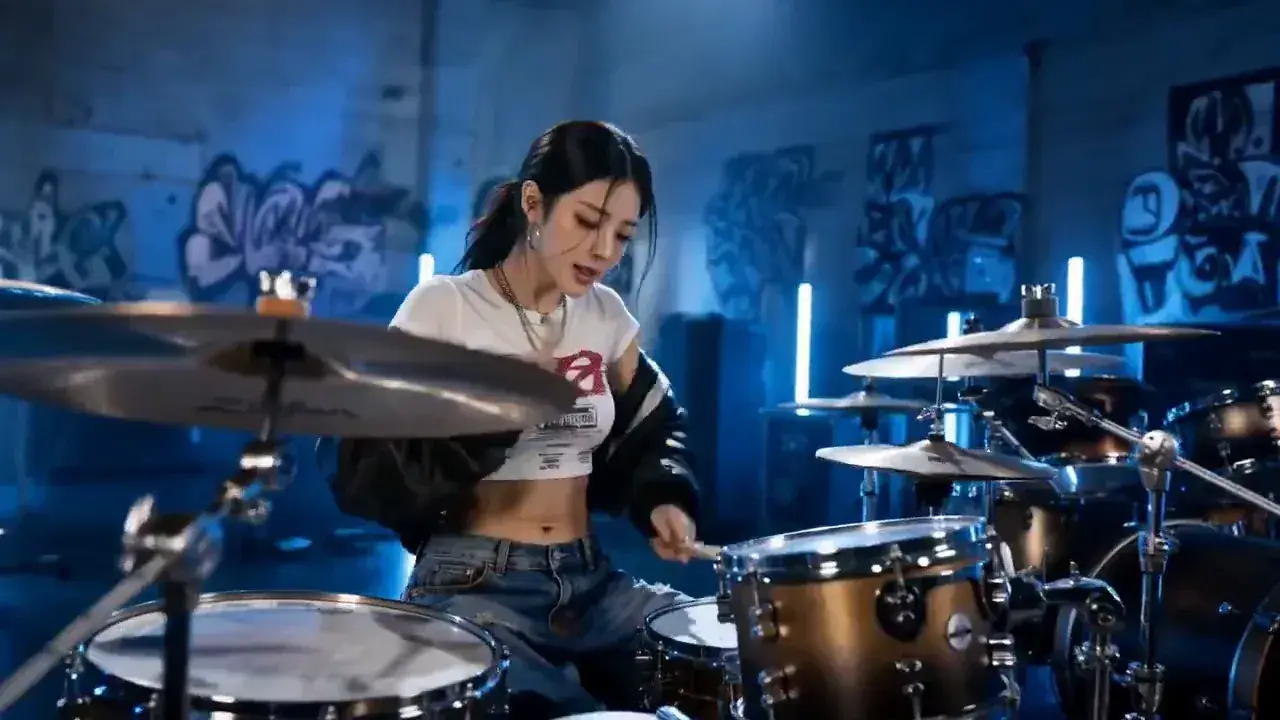
MiniMax H3 · 16:9 · 720P · 15s · 32 kHz stereo
Dialogue, speaker tags and soundscape lines in detail — text to video →
Image to video
First frame, last frame, or both
Upload one photo and it becomes the first frame — or the last one, if that is what you want.
Upload two and H3 fills in everything between them.
Your photo

Generated video

MiniMax H3 · Ratio follows your image · 9:16 · 15s

H3 fills everything between

First frame
Last frame
- 0 images = text to video
- 1 image = one anchor
- 2 images = a full bracket
The ratio chip switches itself off because the aspect follows your image — image to video →
Reference to video
Keep the same character across shots.
Feed in images, clips and audio to lock a face, a style, a camera move or a voice.
The cap most write-ups miss: 9 + 3 + 3 is 15, but the hard limit is 12 files total.
Your references
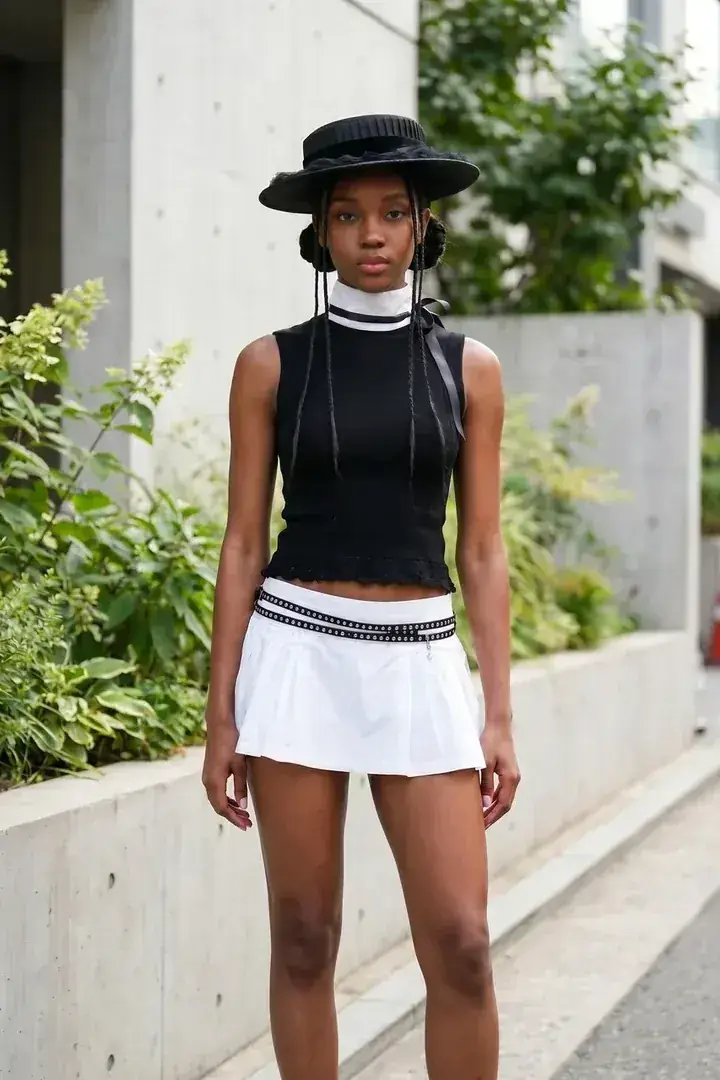
Character

Product
Generated shot
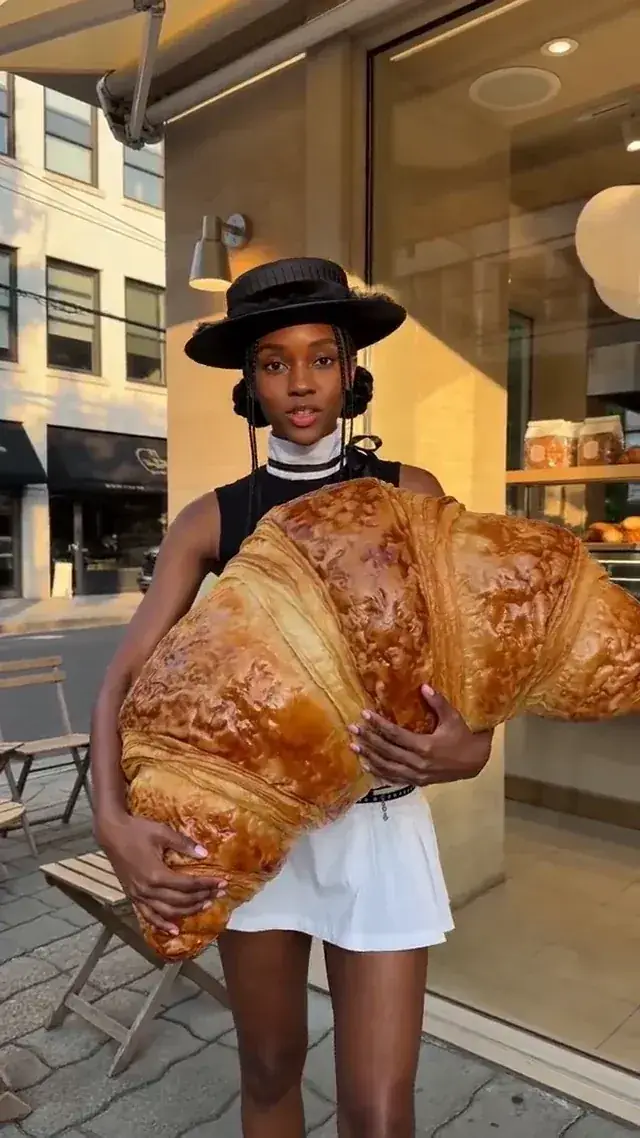
Same face · Same product · 9:16 · 15s
- Images ≤ 9
- Clips ≤ 3 · 2–15 s each
- Audio ≤ 3 · WAV or MP3
9 + 3 + 3 is 15, but the total is capped at 12 — reference to video →
2K output
2K that is re-generated, not upscaled.
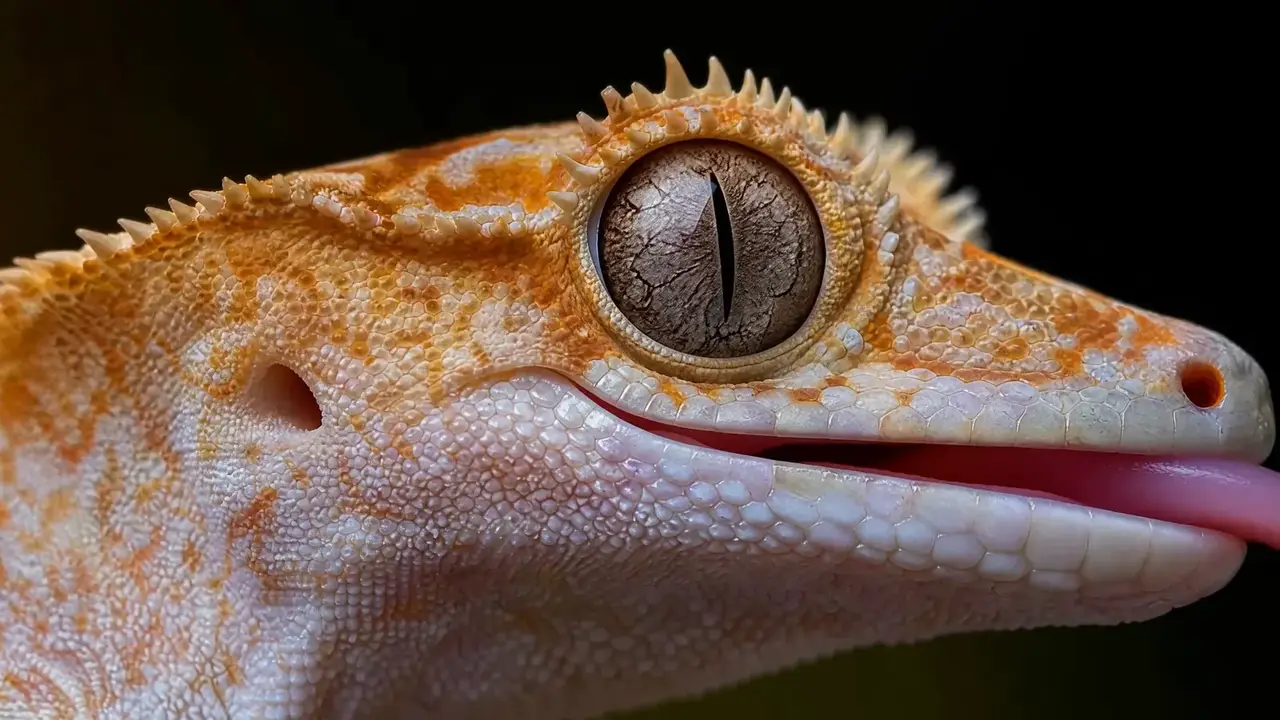
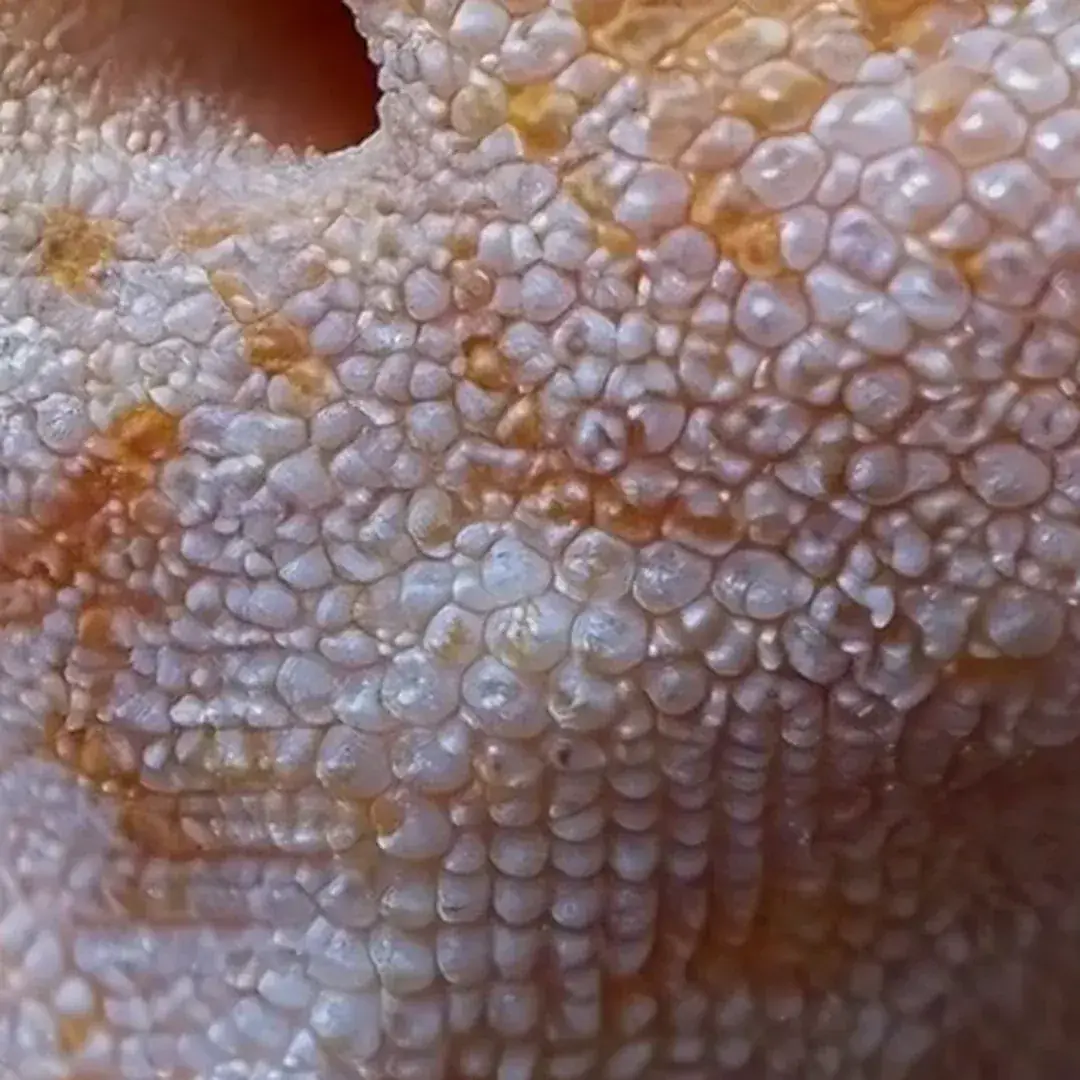
768P comes straight out of the base model. For 2K, H3 sends that result back through itself with your original context and generates it again. That is why fine detail holds up — an upscaler can only guess at what was never there, and it smears. Scales, crest spines and the cracked-earth iris survive the jump.
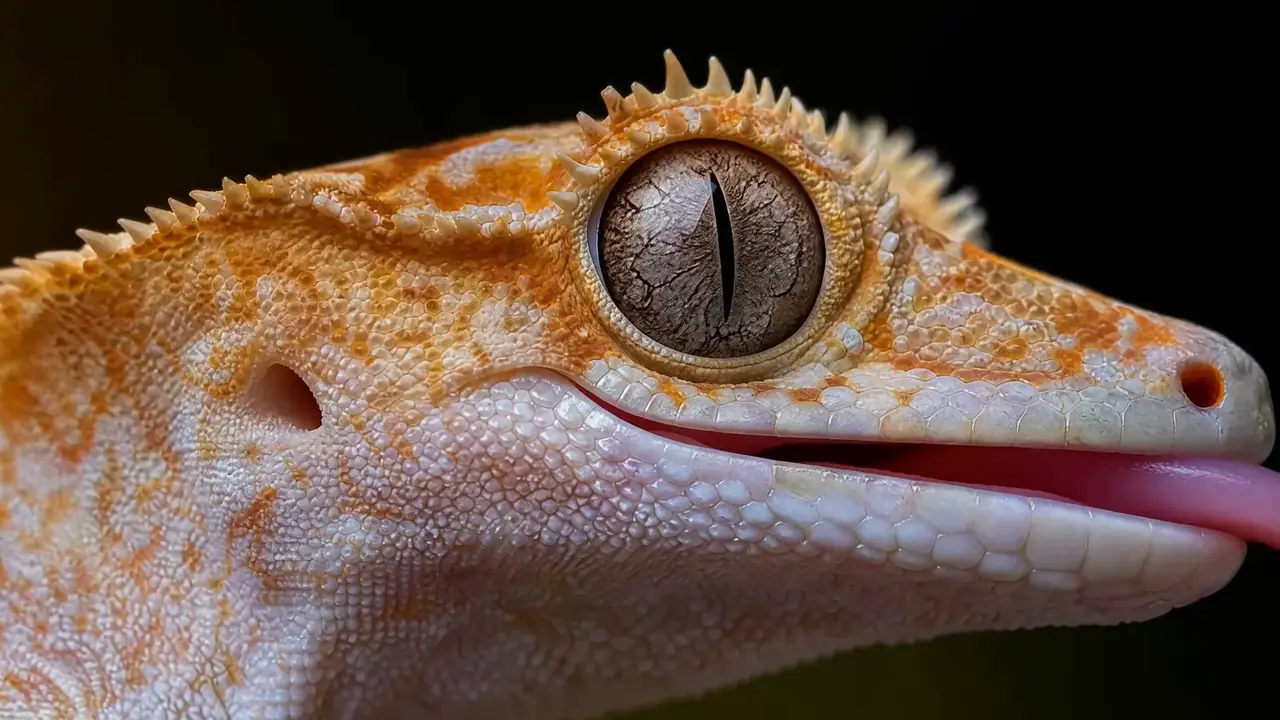

Skin and scales
Upscaled
Re-generated
Crest and spines
Upscaled

Re-generated
Iris and metal
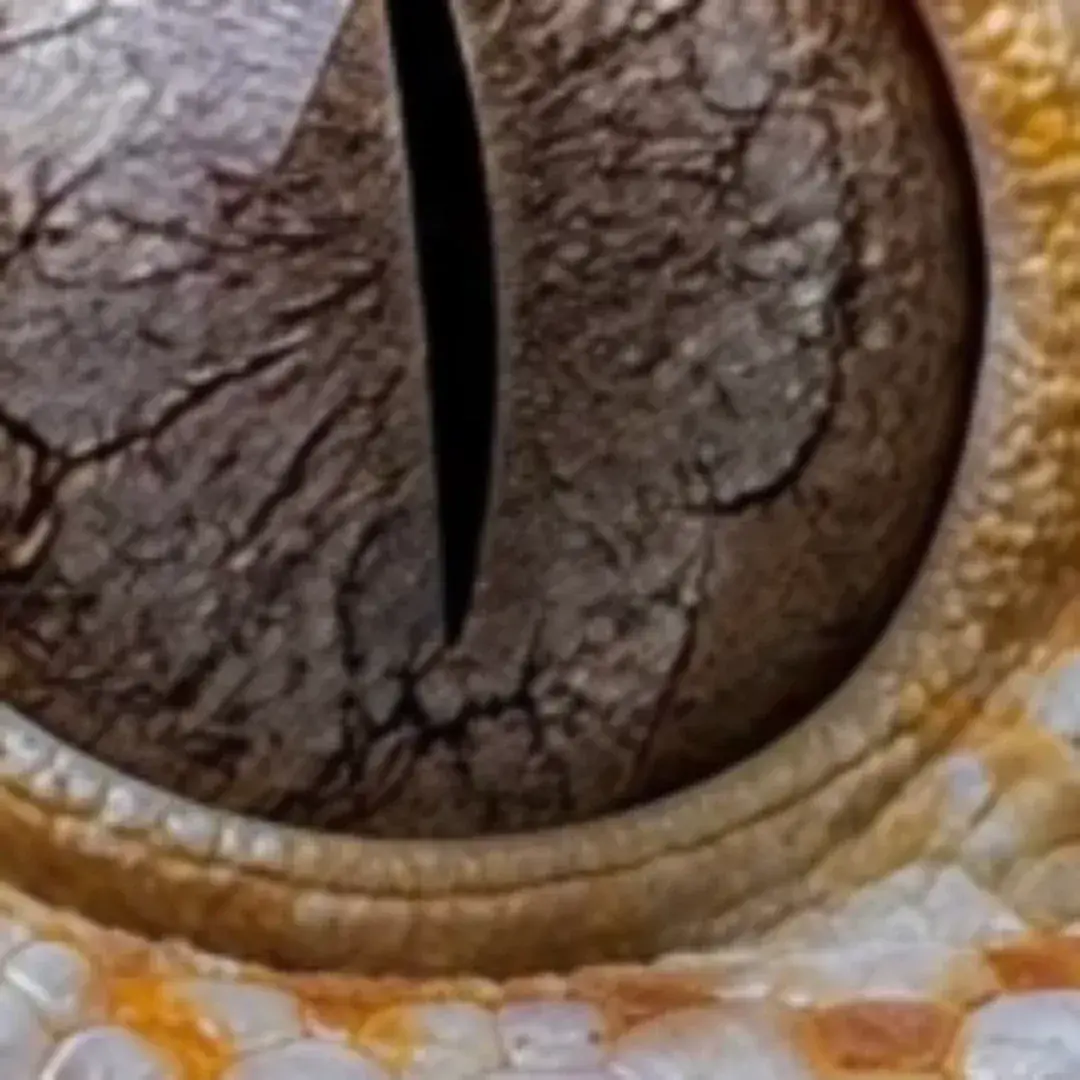
Upscaled
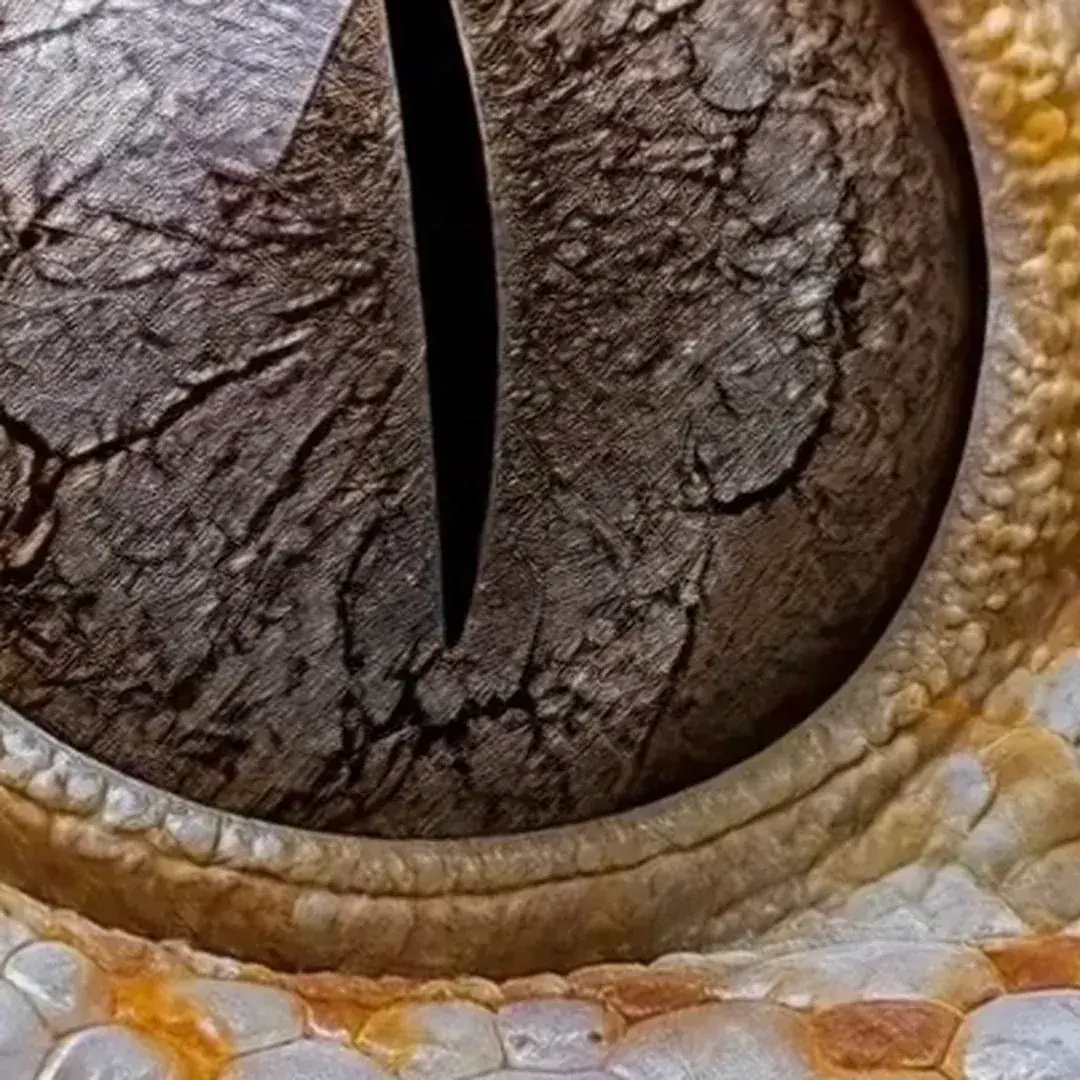
Re-generated
- Short edge
- 1440
- 16:9 lands at
- 2560 × 1440
- Frame rate
- 24 fps
- Not available
- 1080P · 4K
The slider and the three pairs are the same frame from the clip above. Left is that frame taken down and pushed back up, the way an upscaler sees it; right is the native 2K re-generate. Sites listing 4K for H3 do not match the published spec.
Use cases
What people are making with the MiniMax H3 AI video generator
Six places to start. Each one loads a prompt we actually ran through the generator above, at the length and ratio it was made at.
 9:16 · 7–10s
Short-form social
Vertical 9:16, seven to ten seconds, room tone already mixed in. Post it without opening an editor.
 9:16 · 8s
Product ads with sound
One product photo in. A lit turntable shot out, with the click and the whoosh landing on frame.
 16:9 · 12s
Dialogue scenes
Two speakers, tagged (S1) and (S2). Lip movement lands on the syllable, not near it.
 16:9 · 8s
ASMR and ambience
No dialogue at all. Fur, whiskers, a room that sounds like a room.
 9:16 · 8s
Character-consistent series
Same face, same wardrobe, different shot. Reference images do the locking.
 16:9 · 6s
Remix an existing clip
Say what changes — the product, the signage, the look — and H3 re-generates the shot, motion kept. That path is video to video
Trying to copy a clip you saw somewhere else? Video to prompt ↗ turns a link into a structured prompt you can edit and run here.
How to use
How to use MiniMax H3: three steps to your first clip
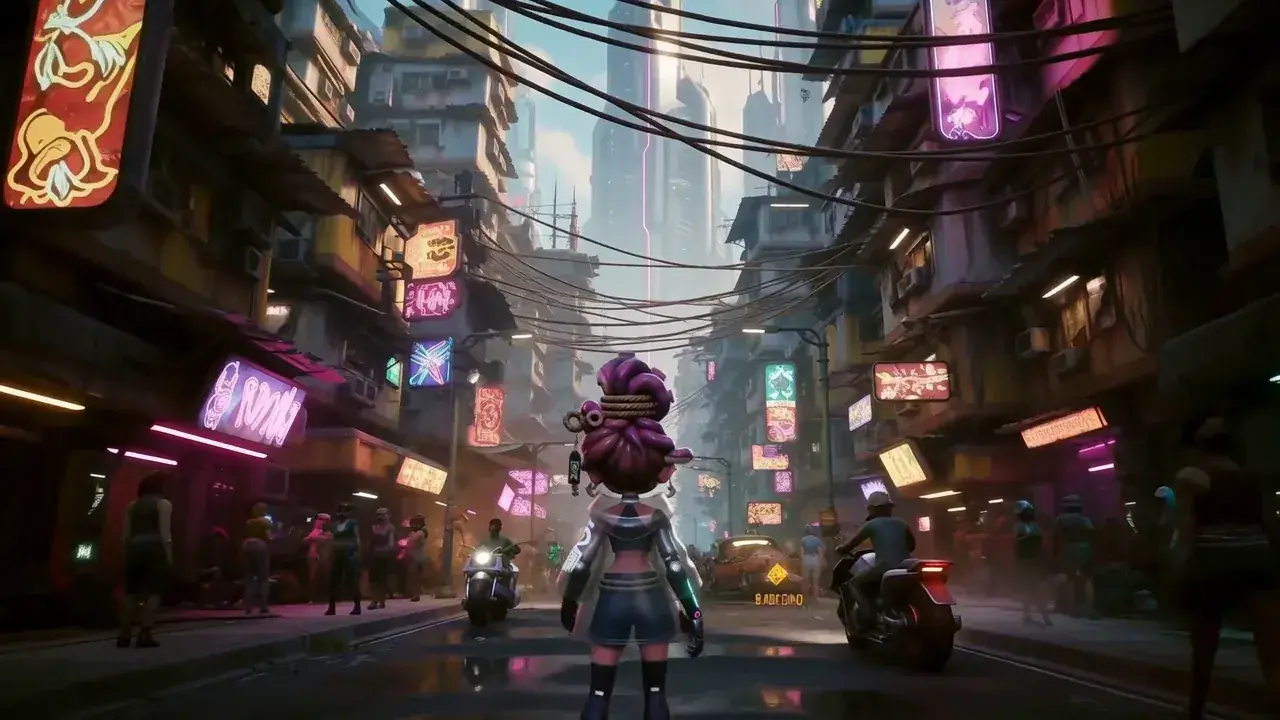
A rain-soaked alley, neon reflections on wet asphalt, footsteps and distant traffic
PictureSoundDescribe the shot and the sound
One sentence carries both. You never write them separately, and sound is never added afterwards.
Same sentence · Same pass 21:9
21:9 16:9
16:9 4:3
4:3 1:1
1:1 3:4
3:4 9:16
9:16
4567891011121314154–15s · whole seconds · 24 fps
Pick a length and a ratio
Any whole second from 4 to 15, at 24 fps, in six shapes. Four seconds is real — several sites still say the floor is five.
24 fps · Six ratios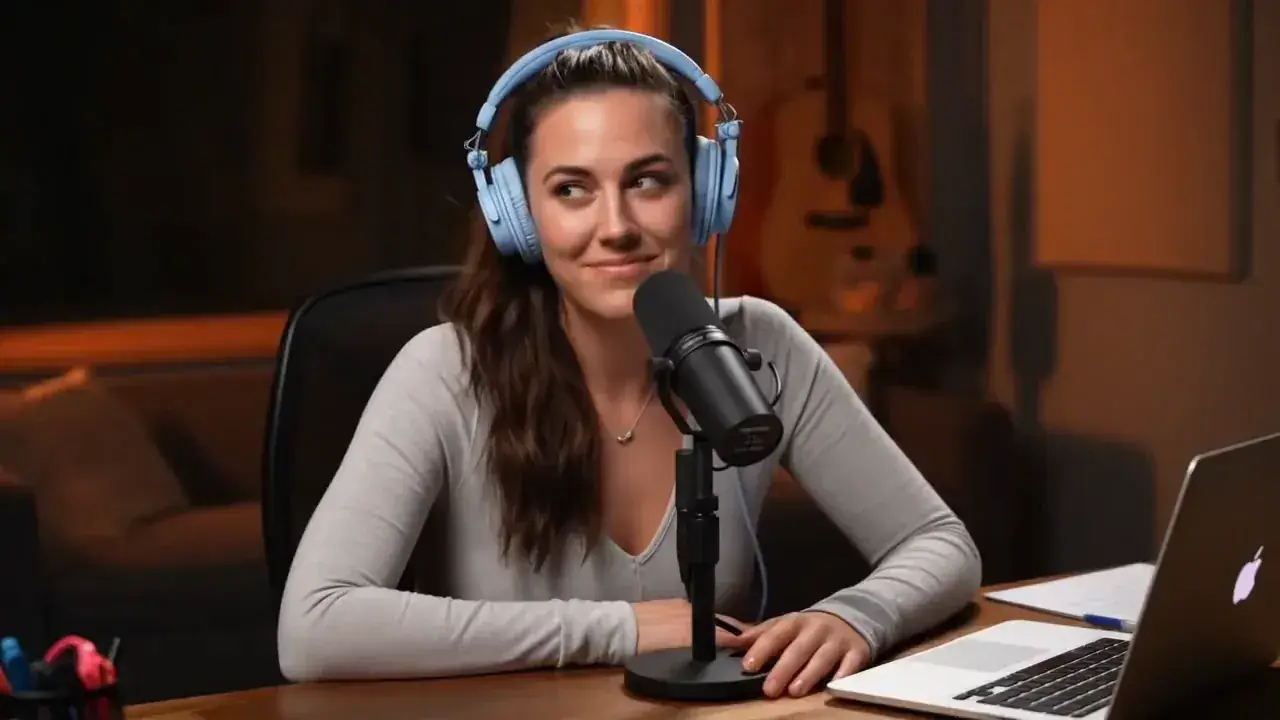 Audio track · 32 kHzCLIP-01.MP4
Download the MP4
The audio is already muxed in, there is no watermark, and you own what comes out.
No watermarkYours to keepFailed generation = credits returned
That is the browser path. There are three others — the official Hailuo app, the API, and the open weights on your own GPU. The full guide compares all four ↗
How it compares
MiniMax H3 vs Veo 3.1, Seedance 2.5 and Kling 3.0
If you are choosing between these four, this is the table you actually need. H3 loses two of these rows and we left them in — it is cheaper to find out here than after you have paid for a month.
Length
- MiniMax H3
- 4–15 s, any whole second
- Veo 3.1
- 4, 6 or 8 s only
- Seedance 2.5
- up to 30 sBest here
- Kling 3.0
- about 10 s
Resolution
- MiniMax H3
- 768P / 2K, re-generated
- Veo 3.1
- 720p / 1080p
- Seedance 2.5
- 480p / 720p
- Kling 3.0
- native 4KBest here
Audio
- MiniMax H3
- generated in the same pass
- Veo 3.1
- yes
- Seedance 2.5
- yes
- Kling 3.0
- yes
List price per second
- MiniMax H3
- $0.08 / $0.13
- Veo 3.1
- $0.40
- Seedance 2.5
- $0.036–0.124
- Kling 3.0
- [TBC]
Reference inputs
- MiniMax H3
- ≤9 img + ≤3 clip + ≤3 audio, ≤12 total
- Veo 3.1
- —
- Seedance 2.5
- 30 img / 10 clip / 10 audio
- Kling 3.0
- —
Open weights
- MiniMax H3
- yes, H3-Base
- Veo 3.1
- no
- Seedance 2.5
- no
- Kling 3.0
- no
Where the others beat it: Seedance 2.5 runs to 30 seconds and takes far more reference material, and Kling 3.0 outputs native 4K. What you get instead is the combination — the only model here you can also download and run yourself, at roughly a fifth of Veo's per-second list price, with the audio generated rather than attached.
Third-party blind tests
Where MiniMax H3 (Hailuo 3) places in blind tests
Artificial Analysis runs blind head-to-head preference tests with public vote counts. This is the 2026-08-13 snapshot of the With Audio boards.
Video editing
First place#1
9001500- Elo
- 1,125
- 95% CI
- ±6
- Votes
- 11,445
Text-to-video
#2
9001500- Elo
- 1,238
- 95% CI
- ±9
- Votes
- 7,170
Image-to-video
(statistical tie)Top 3
9001500- Elo
- 1,193
- 95% CI
- ±9
- Votes
- 5,728
- Gap to the leaders is smaller than the interval
In plain terms: of every model tested with audio, MiniMax H3 came first for video editing and second for text to video — across roughly 24,000 blind votes.
With Audio and Without Audio are separate boards, and many Elo figures circulating online never say which. Boards move — check the snapshot date before quoting this.
Board: With Audio · Snapshot 2026-08-13 · artificialanalysis.ai
Specs, checked line by line
MiniMax H3 AI video generator specs, checked line by line
Before you plan a shot around a number you read somewhere: several of the sites ranking for this model say clips run 5 to 15 seconds, and one lists 1080p, which H3 does not have. MiniMax's API reference accepts 4 seconds and outputs 768P or 2K.
Official= links to the primary source
Why the H3 you run yourself looks different
H3 is not one model, it is three stages — and only the middle one is downloadable. Run it locally and you get 768P, and you write the structured prompt yourself.
H3-CONTEXT-IR
Hosted
Rewrites your prompt and references
Hosted only — not published
H3-BASE
Downloadable
Generates 768P picture + stereo audio
The only part you can run yourself
H3-REGENERATE-2K
Hosted
Feeds the result back through with your context
Calling MiniMax H3 from your own codeOpen
- Model id
- MiniMax-H3
- Create
- POST /v2/video_generation
- Poll
- GET /v2/query/video_generation/{task_id}
- Params
- duration 4–15 (int) · resolution 768P | 2K · ratio required for text-to-video, cannot be adaptive
- Common error
- 2013 — content must carry one non-empty text item
- Two things tutorials leave out
- task records survive 7 days · the returned URL expires, move the file to your own storage
If self-hosting is what you actually want, the open weights guide ↗ and local vs online ↗ will serve you better than this page will.
Reviews
What reviewers are saying about MiniMax H3
Independent benchmarks and the people who ran it against their own prompts in the first week.
H3 ranks #1 in Video Editing, #2 in Text-to-Video and #3 in Image-to-Video. On release it would become the strongest open weights video model, well ahead of the previous open weights leader LTX-2.3.
 Artificial AnalysisIndependent video arena · Aug 2026
 razornero@Danzeronero · X · Aug 1, 2026
Been testing MiniMax H3 and I'm impressed with the output quality. Native 2K, smooth motion, consistent characters, and cinematic lighting that holds up across horror, film, anime, vlog, and commercial ads. One of the most versatile AI video models I've used lately.
 Emerald Apple@AI_EmeraldApple · X · Aug 3, 2026
For an open-weight AI video model, MiniMax H3 is pretty nuts. Way better prompt understanding compared to LTX 2.3, and it has audio unlike Wan 2.2. Camera motion, hand motion, and even fisheye in the prompt worked well.
 Nayeem Sheikh@HeyNayeem · X · Aug 3, 2026
I didn't expect this to be as good as it was. I gave MiniMax H3 a real project — prompt, reference images, video clip, and audio via Omni Reference. Character consistency was much better than expected, UI text stayed clean, and the output looked polished enough for ads.
 Wilzap@wilzap · X · Jul 29, 2026
It does a smooth job with video generation. Good prompt adherence, and the audio comes out really nice. Lip sync was on point. I am impressed right off the bat with this model.
 forvideo.aiHands-on review · Aug 2026
Text, images, video and audio go in as one unified context, and a 2K clip with stereo sound comes out in a single pass. It is a structural change rather than a spec bump.
Quotes are trimmed, never rewritten; the marked phrase is our emphasis. Each one links to where it was published.
Pricing · 2K on every paid plan · no watermark
What MiniMax H3 costs here,
and what you can get without paying
Is MiniMax H3 free? Not on your own prompt — H3 is the paid product. Free runs a different engine and adds a watermark. What is free and unwatermarked: 12 real H3 clips you can download with no account.
Same monthly credits either way
- FreeNo card
One clip with no account, on the free engine. MiniMax H3 itself is paid.
$0foreverNo credit card at any point
Start freeBot check only — no email
1 clip, no account
Agnes Video V2.0 · 16:9 · 5s · watermarked
Sign in free — 3 clips a day on Agnes, watermarkedAny pack from $9.9 unlocks MiniMax H3 — every mode, 768P and 2K
- MiniMax H3 at native 2KPaid only
- No watermarkPaid only
- One clip, no account
- 1 clip at a time
- Failed clips cost nothing
- Private generation
- Any pack unlocks MiniMax H3 on every mode
Free is a different engine. See plans
Speed & queue
- Queue
- Free lane
- Jobs at once
- 1
- Batch
- 1
- History kept
- 24h · 7 days signed in
- Support
- Community
- LiteSave 50%
Unlock MiniMax H3 at native 2K. The smallest paid plan — Pro is the one most people pick.
$24.9/mo$49.9$298.8 billed yearly · Save $300 a year
Choose Lite7-day refund · cancel anytime
1,290 credits / month · ~22 videos
4s · 768P · text to video
or ~17 at 4s 2K
Same credits monthly or yearly
- MiniMax H3 at native 2K — no watermark
- Dialogue, effects and music in the same file
- Up to 15 seconds15s
- ~22 videos a month at 4s 768P, text to video
- Failed clips cost nothing
- 7-day refund if credits are unused
- 1 job at a time · standard queue
- Batch 2 variants of one prompt
Personal and evaluation use — why
Speed & queue
- Queue
- Standard
- Jobs at once
- 1
- Batch
- 2
- History kept
- 7 days
- Support
- Email · 48h
- Recommended for mostProSave 50%
$50 more than Lite. ~125 videos a month, same MiniMax H3, faster queue.
$49.9/mo$99.9$598.8 billed yearly · Save $600 a year
Choose Pro7-day refund · cancel anytime
4,990 credits / month · ~125 videos
4s · 768P · text to video
or ~84 at 4s 2K
Same credits monthly or yearly
- Everything in Lite
- ~125 videos a month at 4s 768P, text to video
- Fast queue · 3 jobs at once3×
- Video-to-prompt
- Batch 4 variants of one prompt
- History kept for 7 days
- 7-day refund if credits are unused
Personal and evaluation use — why
Speed & queue
- Queue
- Fast
- Jobs at once
- 3
- Batch
- 4
- History kept
- 7 days
- Support
- Email · 12h
- StudioSave 50%
A full month of volume, first in line, and a human who answers in 4 hours.
$99.9/mo$199.9$1,198.8 billed yearly · Save $1,200 a year
Choose Studio7-day refund · cancel anytime
12,990 credits / month · ~325 videos
4s · 768P · text to video
or ~217 at 4s 2K
Same credits monthly or yearly
- Everything in Pro
- ~325 videos a month at 4s 768P, text to video
- Priority queue · 8 jobs at once8×
- Batch 4 variants of one prompt
- History kept for 7 days
- Priority support in 4 hours
- Lowest credit burn we offer
- 7-day refund if credits are unused
Personal and evaluation use — why
Speed & queue
- Queue
- Priority — first in line
- Jobs at once
- 8
- Batch
- 4
- History kept
- 7 days
- Support
- Priority · 4h
There is no free unlimited MiniMax H3 AI video generator, here or anywhere — every H3 second is billed to us the moment it renders. Our free engine costs us nothing, but it runs on five shared slots and three clips a day, and we publish both. Why no one has one →
- Credits are printed on each card
- Yearly gives the same monthly credits at 50% off
- Failed generations never cost credits
Blog
Latest guides & tutorials
Prompt craft, sound design and the settings that actually change the output — written from real generations, not from the model card.
 Specs
Specs192 frames is the only whole second MiniMax H3 can give you
H3 renders in blocks of 17n+5 frames at 24 fps, so nearly every duration lands on a fraction. Exactly one setting comes out even, and you can prove it.
 Editorial desk
 Guides
How to use MiniMax H3: five routes into the same model
There is no single H3 app. It is one model behind five doors, and they differ by setup time, by price, and by whether the licence lets you walk through at all.
Editorial desk Guides
MiniMax H3 in ComfyUI: the version, the files, and the flag that stops the OOM
Native nodes shipped in 0.30.0. The fix that stops it running out of memory shipped in 0.32.0, and most guides still stop at 0.30.0. Here is the current state, with pull request numbers.
Editorial desk Guides
MiniMax H3 local vs online: the requirement nobody quotes is a number of minutes
Every requirements table answers how much memory it takes to load. The thing that stops people is that the same 480p job runs in 182 seconds on one machine and 90 minutes on another.
Editorial desk
FAQ · Fifteen questions
MiniMax H3 AI video generator FAQ
Fifteen questions, answered on this page.
Is the MiniMax H3 video generator free to use here?
Can I use the MiniMax H3 video generator free, with no sign-up at all?
Is there a MiniMax H3 video generator online, with nothing to download?
Is there a free unlimited MiniMax H3 video generator? The one nobody else answers honestly
Is the free result watermarked?
What happens if a generation fails?
How long can a clip be?
Can the MiniMax H3 video generator output 2K?
Does it really generate sound, or is it dubbed?
Can I make a video from text alone?
How many reference files can I add?
Is MiniMax H3 open source?
Can I use the videos commercially? Read this before you bill a client
Is MiniMax H3 the same as Hailuo 3, and is this the official site?
How long does one clip take to generate?
Every answer is in the page itself — open a question to read it
One clip, nothing to sign
Run one clip through the MiniMax H3 AI video generator
No card, no account, sound included. One free Agnes clip. After that, sign in for 30 credits.
Generate free1 FREE CLIP · WATERMARKED1 FREE CLIP · Agnes Video V2.0 · 16:9 · 5s · WATERMARKED